Table of Contents
- Introduction
- Understanding Embroidery Machine File Errors
- Common Causes
- How to Fix File Errors
- Preventing Future Problems
- When to Seek Professional Help
- Conclusion
Introduction
Few things are more frustrating than an embroidery machine file error stopping your project. Whether you’re creating caps, logos, or patches, a file rejection wastes time and material. Most issues arise from incompatible formats, damaged data, or poor digitizing. Knowing how to detect and fix these problems helps you keep production running smoothly.
This guide explains how to handle embroidery machine file errors quickly and how expert digitizing from Quality Digitizing prevents them from happening again. You can also learn about embroidery machine maintenance tips from The Spruce Crafts to improve your setup.
Understanding Embroidery Machine File Errors
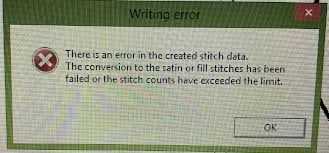
An embroidery machine file error means your machine can’t properly read or interpret the design. It may occur because the file type doesn’t match your machine’s format or because the file became corrupted during transfer. Understanding what triggers these errors helps you take quick corrective action.
Common Causes
- Wrong file format: Each embroidery brand supports specific formats such as .DST, .PES, or .JEF. Using the wrong one often causes an error.
- Corrupted data: Files can become damaged when saving or copying, leading to a read failure.
- Overly dense stitches: Too many stitches in a small area overwhelm the machine and trigger rejections.
- Incorrect hoop size: A design larger than the hoop area will not load.
- Faulty USB or cable: Hardware issues can interrupt file transfer and show up as an error message.
How to Fix File Errors
When an embroidery machine file error appears, start by verifying the format your machine accepts. Re-save or re-export the file in that format, then test again. If it still fails, reduce stitch density or resize the design so it fits within your hoop limits. Updating your machine’s firmware can also correct compatibility problems. If nothing works, the file may need to be re-digitized from scratch.
Professional digitizers at Quality Digitizing can rebuild designs correctly, ensuring that every file loads and stitches without error.
Preventing Future Problems
The best way to prevent any embroidery machine file error is to use clean, well-digitized designs. Skilled digitizers understand the limits of each machine and optimize stitch types, directions, and density accordingly. Keeping your equipment firmware updated and transferring files safely will also reduce the chances of rejection.
When to Seek Professional Help
If you continue seeing embroidery machine file errors after troubleshooting, seek expert assistance. Professional digitizers can detect hidden data issues or incompatible commands that ordinary software may miss. Working with Quality Digitizing ensures your files are fully tested and production-ready.
Conclusion
Dealing with an embroidery machine file error can be stressful, but most are easy to fix. Verify file formats, check design size, and keep software updated to avoid interruptions. For guaranteed reliability, trust Quality Digitizing to deliver perfectly optimized embroidery files every time.
For more general embroidery troubleshooting, refer to Textile World for helpful industry insights and machine care practices.
Tags: embroidery machine file error, embroidery digitizing, embroidery troubleshooting, machine compatibility, digitizing services