Table of Contents
- Introduction
- What Is Embroidery Logo Digitizing?
- Common Reasons Digitized Logos Don’t Look Professional
- How Poor Digitizing Affects Stitch Quality
- Best Practices for Professional Embroidery Digitizing
- Choosing the Right Digitizing Service
- Conclusion
Introduction
Embroidery logo digitizing plays a crucial role in how your final embroidered logo appears on garments, towels, or uniforms. Many businesses invest heavily in branding but fail to realize that poor digitizing can make a logo look unprofessional, uneven, or distorted. To achieve sharp, high-quality embroidery, the design must be properly digitized by experts who understand stitch patterns, fabric behavior, and machine settings.
What Is Embroidery Logo Digitizing?
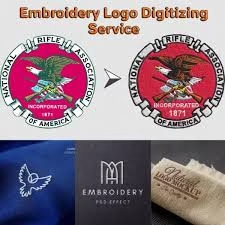
Embroidery logo digitizing is the process of converting a flat logo or image into a stitch file that embroidery machines can read. This process involves careful planning of stitch direction, density, underlay, and color sequencing. Without professional attention to these details, even a beautiful design can turn out messy when embroidered.
Common Reasons Digitized Logos Don’t Look Professional
1. Incorrect Stitch Density
Too many stitches in a small area can cause thread breakage, puckering, or stiff embroidery. On the other hand, too few stitches make the design look thin and incomplete. Balancing stitch density ensures smooth coverage without overloading the fabric.
2. Poor Underlay Setup
Underlay stitches act as a foundation for the top stitches. If underlay settings are ignored, the final design may appear uneven or unstable. A proper underlay improves edge definition and helps the logo maintain its shape during washing and wear.
3. Inconsistent Stitch Direction
Each part of the logo should have a logical stitch flow that enhances texture and readability. Random stitch directions create unwanted shadows and make text harder to read.
4. Wrong Pull Compensation
Pull compensation adjusts how stitches react to fabric tension. If not calibrated correctly, fine lines may disappear or distort. This is especially important for thin fonts or detailed artwork.
5. Low-Resolution Artwork
If the original logo is blurry or pixelated, even expert digitizers may struggle to reproduce it accurately. Always provide high-resolution vector artwork to achieve sharp results.
How Poor Digitizing Affects Stitch Quality
Bad digitizing leads to broken threads, uneven textures, and wasted materials. Machines may run slower due to inefficient stitch patterns, increasing production time. More importantly, your brand image suffers when embroidered items appear low-quality or inconsistent across batches.
Using professional embroidery logo digitizing ensures your stitches run efficiently, colors stay vibrant, and each detail reflects your brand’s quality. For precise and expert digitizing, consider trusted specialists such as Quality Digitizing, who understand the technical and creative sides of embroidery design.
Best Practices for Professional Embroidery Digitizing
1. Test Before Final Production
Always run a test stitch-out on the same material before bulk production. This helps detect any density or alignment issues early.
2. Use Proper Fabric Profiles
Different fabrics—like cotton, polyester, or fleece—react differently to stitches. Adjusting tension, density, and underlay for each fabric ensures consistent results.
3. Keep Fonts and Text Legible
Small or thin fonts often lose clarity in embroidery. Use slightly thicker, simple fonts and adjust spacing for readability.
4. Choose the Right Stitch Types
Use satin stitches for smooth edges and fill stitches for larger areas. The correct stitch type makes the logo visually appealing and durable.
5. Work with Experienced Digitizers
Digitizing is both a science and an art. A skilled digitizer knows how to balance technical precision with creative interpretation. This expertise ensures professional-looking embroidery logos every time.
Choosing the Right Digitizing Service
Not all digitizing services are equal. When selecting a provider, look for experience, turnaround time, and sample quality. Reading customer feedback and checking their previous work can also help you make the right decision.
If you’re seeking a team that values precision, quality, and customer satisfaction, Quality Digitizing offers reliable services tailored to your branding needs. Their expert team ensures your logos stitch beautifully on any fabric or item.
Conclusion
Professional embroidery logo digitizing is key to achieving clean, sharp, and consistent embroidery results. Poorly digitized logos can harm your brand’s image, but by focusing on quality digitizing and expert setup, your designs will always stand out for the right reasons. Choosing a trusted service like Quality Digitizing ensures that your embroidery logos look professional, detailed, and brand-accurate every single time.
Tags: embroidery logo digitizing, professional embroidery, logo design quality, digitizing services
chniques.
Focus Keyword: embroidery logo digitizing
–>
Table of Contents
- Introduction to Embroidery Logo Digitizing
- Why Embroidery Logo Digitizing Results May Look Unprofessional
- 1. Poor Digitizing Quality
- 2. Incorrect Stitch Density
- 3. Wrong Underlay Settings
- 4. Low-Resolution or Poor Artwork
- 5. Inconsistent Thread Tension
- 6. Ignoring Fabric Type
- 7. Using the Wrong Stitch Type
- 8. Improper Scaling and Resizing
- 9. Skipping Test Stitch-Outs
- 10. Lack of Professional Digitizing Services
- How to Fix Poor Embroidery Results
- Conclusion
Introduction to Embroidery Logo Digitizing
Embroidery logo digitizing is the process of converting your artwork or logo into a digital embroidery file that machines can read. When done correctly, it ensures sharp, detailed, and professional results. However, many designs end up looking rough, misaligned, or uneven because of poor digitizing practices. Understanding the causes behind this issue helps prevent wasted materials and disappointing results.
Why Embroidery Logo Digitizing Results May Look Unprofessional
When embroidery logo digitizing isn’t executed properly, logos can appear distorted, fuzzy, or off-balance. These issues usually occur due to incorrect stitch planning, density settings, or underlay techniques. Whether you’re creating designs for uniforms, caps, or promotional items, mastering these details ensures your logo embroidery looks professional and consistent every time.
1. Poor Digitizing Quality
One of the biggest reasons embroidery logo digitizing fails is due to poor-quality digitizing. Automated or low-cost digitizing services often skip essential steps like proper stitch direction and pathing. These shortcuts lead to uneven fills, broken outlines, or fuzzy text. To avoid such problems, it’s best to use expert services such as Quality Digitizing, where skilled professionals ensure your logo maintains accuracy and clarity on every stitch.
2. Incorrect Stitch Density
Stitch density controls how closely threads are placed together. If the density is too high, the fabric puckers or distorts; too low, and gaps appear in the design. Experienced digitizers balance density according to fabric type and thread thickness, ensuring a clean, even embroidery finish that looks professional and feels smooth.
3. Wrong Underlay Settings
Underlay stitches act as the foundation of embroidery. Without proper underlay, stitches can sink into the fabric, causing uneven or faded designs. Digitizers use different underlay types—like edge-run or zigzag—to lift the top stitches, providing a stable base and smooth surface for the design to sit on.
4. Low-Resolution or Poor Artwork
Embroidery machines can only replicate what they’re given. Starting with low-quality, pixelated artwork results in distorted or unclear stitching. Always provide high-resolution or vector artwork when submitting your logo for digitizing to ensure all elements translate accurately into stitches.
5. Inconsistent Thread Tension
Even the best embroidery logo digitizing can’t compensate for poor machine tension. Too much tension pulls the fabric, while too little creates loose, looping stitches. Professional digitizers adjust stitch angles and directions to balance thread tension and minimize distortion, resulting in crisp, uniform designs.
6. Ignoring Fabric Type
Different fabrics behave uniquely under a needle. For instance, stretchy fabrics like polyester blends need lighter stitch densities and extra underlay, while stiff fabrics like canvas can handle denser stitching. Ignoring the fabric’s characteristics often leads to uneven embroidery. Skilled digitizers adapt their settings to match each fabric’s texture and stretch level for better results.
7. Using the Wrong Stitch Type
Each logo element requires a specific stitch type. For example, satin stitches are best for small lettering or borders, while fill stitches are ideal for large areas. Using the wrong stitch type makes logos appear unbalanced or bulky. A professional digitizer knows how to combine stitch types for texture, clarity, and durability.
8. Improper Scaling and Resizing
Scaling a digitized design without re-adjusting its parameters leads to uneven results. Enlarging can cause gaps, while reducing the design may cause overlapping or thread buildup. The best approach is to have a professional re-digitize your logo at the exact size you plan to embroider, ensuring precision and stability.
9. Skipping Test Stitch-Outs
Skipping test runs is a common mistake that affects final embroidery quality. A test stitch-out helps detect design issues like density imbalance, thread breaks, or misalignment before mass production. Running a test allows you to fine-tune and achieve consistent, high-quality results on every product.
10. Lack of Professional Digitizing Services
Relying on inexperienced digitizers is a major reason embroidery logo digitizing results don’t look professional. Expert digitizers understand thread behavior, stitch logic, and machine limitations, ensuring every logo turns out clean and detailed. For reliable and affordable embroidery digitizing, visit Quality Digitizing — your trusted partner for precision and excellence.
How to Fix Poor Embroidery Results
To make sure your embroidered logos look sharp and polished:
- Always use high-quality artwork or vector files.
- Hire professional digitizers experienced in your fabric type.
- Check stitch density and underlay balance.
- Test every design before full production.
- Maintain proper machine tension and hooping.
These steps can transform dull or uneven embroidery into professional-grade designs that impress your clients and strengthen your brand image.
Conclusion
In summary, when embroidery logo digitizing isn’t done correctly, it can lead to distorted, uneven, or unprofessional results. Paying attention to stitch type, density, underlay, and fabric compatibility makes a huge difference in quality. By partnering with professional digitizers, you can ensure your logos look clean, sharp, and consistent every time — a true reflection of your brand’s excellence and attention to detail.
Tags: embroidery logo digitizing, embroidery design quality, logo digitizing tips, embroidery mistakes, professional digitizing