Table of Contents
- Introduction
- What Is 3D Puff Digitizing?
- Why Convert Logos into 3D Puff Digitized Files?
- Preparing Your Logo for Puff Digitizing
- Step-by-Step Conversion Process
- Choosing the Right Foam and Materials
- Stitch Settings, Density & Underlay
- Hooping, Placement & Cap Considerations
- Testing & Sampling
- Common Problems and Fixes
- When to Use a Professional Service
- Conclusion
Introduction
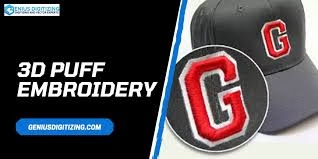
3D Puff Digitizing turns flat designs into raised, three-dimensional embroidery using foam underlay and specialized stitch planning. This technique gives logos a bold, eye-catching effect perfect for hats, sports apparel, and branding. Learning how to convert logos into 3D puff digitized files ensures precision, clean stitching, and lasting texture that enhances professional embroidery results.
What Is 3D Puff Digitizing?
3D puff digitizing involves creating embroidery files that guide machines to sew over foam, producing a raised look. Specialized software determines stitch direction, underlay, and density to ensure that the design maintains its shape. You can explore detailed embroidery fundamentals on Embroidery.com’s education center to understand the foundation of digitizing before moving into advanced puff work.
Why Convert Logos into 3D Puff Digitized Files?
Converting logos into 3D puff digitized files helps create durable and high-impact branding. It allows businesses to showcase premium quality, especially on caps and uniforms. Puff digitizing ensures every design element has proper lift and stitch flow, giving your logo a strong, textured appearance that catches attention and reflects brand value.
Preparing Your Logo for Puff Digitizing
Before starting the conversion process, simplify the logo design by removing fine details, thin lines, or gradients. Puff embroidery works best with bold shapes and block lettering. Ensure your logo is available in vector format for crisp edges and scalable outlines. Proper preparation guarantees accuracy when transforming your design into a 3D puff-ready file.
Step-by-Step Conversion Process
1. Analyze and Simplify
Begin by importing the logo into your digitizing software. Identify areas that need to be raised with foam. Simplify curves and increase stroke width on thinner elements.
2. Assign Stitches
Apply satin stitches for raised sections and fill stitches for flatter ones. Use shorter stitch lengths to reduce thread breakage and maintain consistency.
3. Add Underlay and Compensation
Include a base underlay to stabilize the foam, and add pull compensation to maintain correct proportions after trimming.
4. Adjust Density
Reduce stitch density to avoid heat buildup and foam tearing. Adjust tension to prevent gaps while ensuring smooth coverage.
5. Export File
Save the final file in a compatible format (like .DST, .PES, or .EXP). Keep a record of thread colors, foam type, and stitch settings for production reference.
Choosing the Right Foam and Materials
Foam selection greatly influences puff quality. Standard 2–3 mm embroidery foam works best for hats and thicker fabrics. Choose closed-cell foam to maintain height without absorbing moisture. Matching foam color to thread color minimizes visibility during trimming and enhances final presentation.
Stitch Settings, Density & Underlay
Maintain strong underlay and slightly lower density to accommodate foam. Use wider satin stitches to ensure smooth trimming. Thread tension should remain balanced to prevent needle marks and tearing during puff expansion.
Hooping, Placement & Cap Considerations
Secure fabric and foam tightly using cap frames or firm hoops. Mark alignment points to position your logo accurately. Keep in mind that each cap profile may require different compensation or stitch width for best results.
Testing & Sampling
Always test-stitch the digitized file before mass production. Sampling helps identify design distortions, density issues, or trimming challenges early. Adjust stitch angles or compensation where necessary to achieve clean, consistent results.
Common Problems and Fixes
- Foam tearing: Lower density or use sharper needles.
- Edges lifting: Increase satin width for better foam coverage.
- Thread breaks: Reduce tension or use stronger polyester thread.
- Poor trimming: Use heat or light friction to remove foam residue safely.
When to Use a Professional Service
While basic puff designs can be digitized manually, complex shapes, multiple foam layers, and textured fabrics benefit from professional services. Expert digitizers use proven settings to deliver sharp, production-ready results. For premium 3D puff digitizing, consider Quality Digitizing, where experienced professionals convert logos into puff embroidery files optimized for durability and quality.
Conclusion
3D Puff Digitizing transforms ordinary embroidery into eye-catching 3D art. From selecting foam to perfecting density and stitch direction, every step contributes to a durable, polished logo. If you want consistent, top-quality results, partner with professionals like Quality Digitizing for reliable and high-performance 3D puff embroidery files that bring your brand to life.