Table of Contents
Introduction
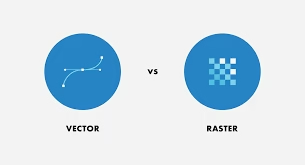
Digital designs must be clear and scalable for professional use. Many images exist in raster formats like JPG or PNG, which lose sharpness when enlarged. Raster to Vector conversion transforms these pixel-based files into smooth, editable vector graphics suitable for printing, embroidery, and digital branding.
To understand the difference between raster and vector formats, you can explore this Wikipedia overview of vector graphics. It explains how scalable vectors are built from mathematical paths instead of pixels.
By using Quality Digitizing, you can convert raster images into accurate vector files that retain full quality and are ideal for both large and small formats.
Why Vector Conversion Matters
Vector graphics never lose quality because they’re made of mathematical paths instead of pixels. Whether you’re printing a business logo or designing apparel, vector files ensure sharp results every time. Converting raster images into vector artwork provides flexibility, cleaner lines, and brand consistency across platforms.
For professional printing or embroidery, Raster to Vector conversion ensures that your artwork is production-ready and maintains high visual standards.
Conversion Process Explained
The process of transforming raster images into vector artwork involves several steps that ensure quality and accuracy.
1. Image Analysis
Experts examine your source image for clarity, color count, and complexity. This helps decide whether manual tracing or automated conversion is best.
2. Tracing Artwork
Designers use professional tools to trace outlines and shapes carefully. Manual vectorization ensures precision, especially for detailed logos and symbols.
3. Refining Details
After tracing, lines and curves are adjusted for smoothness. This eliminates rough edges and ensures proportional accuracy in your new vector file.
4. Color Matching
Colors are carefully matched to maintain brand integrity. Professional services like Quality Digitizing use exact CMYK or Pantone values for perfect consistency.
5. Exporting Vector Files
Once finalized, the file is saved in popular vector formats such as AI, SVG, EPS, or PDF—ready for printing, signage, or embroidery machines. For those who want to explore professional design tools, visit the Adobe Illustrator page for insights on creating high-quality vector graphics.
Benefits of Vector Conversion
Using Raster to Vector services offers numerous long-term advantages:
- Scalability: Resize graphics infinitely without losing clarity.
- Easy Editing: Modify design elements anytime.
- Printing Perfection: Get sharp results across all surfaces.
- Professional Quality: Clean lines and accurate colors boost brand presentation.
- Cost Efficiency: Avoid recreating designs from scratch.
These benefits make professional vector conversion services an essential part of digital branding and production workflows.
Industries That Use Vector Files
Many industries rely on vector artwork for precision and scalability. These include:
- Printing and Packaging
- Embroidery and Apparel
- Advertising and Signage
- Architecture and Engineering
- Corporate Branding
Each industry benefits from having high-quality vector files that retain sharp details no matter the output size.
Best Tools for Conversion
Professional Raster to Vector conversion often uses advanced software, including:
- Adobe Illustrator
- CorelDRAW
- Affinity Designer
- Inkscape
These programs help create precise vector graphics that match the original artwork. However, true accuracy comes from human expertise—something that Quality Digitizing delivers with every project.
Common Mistakes to Avoid
Some designers make errors that reduce the quality of their converted files. Here’s what to avoid:
- Using low-quality raster sources.
- Over-relying on automated tracing tools.
- Ignoring color calibration.
- Skipping manual cleanup steps.
To achieve the best results, rely on professional image vectorization experts who combine software accuracy with artistic skill.
Get Professional Help
Need to convert your logos, artwork, or images into clean vector files? Quality Digitizing offers fast, accurate, and affordable Raster to Vector services for all industries. Upload your raster image today and get a flawless vector version ready for print, embroidery, or web use.
Conclusion
Whether you’re creating signage, branded apparel, or print materials, converting your images through Raster to Vector services ensures long-lasting clarity and flexibility. Instead of struggling with blurry logos, trust experts like Quality Digitizing to transform your artwork into professional, scalable vector files that elevate your brand presentation.