Table of Contents
- Understanding Low-Quality Logos
- Why You Need Low-Quality Logo Repair
- What Are Vector Services?
- Step-by-Step Logo Repair Process
- Benefits of Vector Conversion
- Common Mistakes to Avoid
- Why Choose Professional Services
- Conclusion
Understanding Low-Quality Logos
A logo is the visual identity of your business. When your logo looks blurry, pixelated, or unclear, it affects your brand’s credibility. Many companies struggle with poor-quality logo files that cannot be scaled or printed correctly. That’s where Low-Quality Logo Repair becomes essential — turning old or damaged designs into crisp, high-quality vector versions.
To learn more about how logos impact branding and perception, you can visit the Wikipedia page on logos for educational insights. However, for professional vector conversion and logo repair, it’s best to trust experts like Quality Digitizing.
Why You Need Low-Quality Logo Repair
Low-resolution logos often cause printing issues and appear unprofessional online. Low-Quality Logo Repair ensures your design can be used across any medium — from digital screens to embroidery — without losing quality. By converting your logo into vector format, you gain scalability, precision, and long-term usability.
Using a trusted service like Quality Digitizing guarantees a smooth repair process that restores your logo’s true quality.
What Are Vector Services?
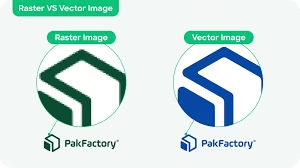
Vector services involve converting raster images (like JPG or PNG) into vector formats such as AI, EPS, or SVG. Vectors are made of paths instead of pixels, meaning they can be resized infinitely without blurring. Professional vectorization ensures every curve, edge, and color in your logo looks sharp and accurate. This process is key to successful Low-Quality Logo Repair.
Step-by-Step Logo Repair Process
1. Evaluate the Source File
The first step in Low-Quality Logo Repair is analyzing the existing logo. Professionals assess the level of distortion, missing details, and color mismatches before starting the conversion process.
2. Manual Vector Tracing
Manual tracing gives precise control over every shape and curve. Rather than relying on automatic tools, designers redraw each element carefully to maintain proportional accuracy and brand consistency.
3. Color Correction and Enhancement
During Low-Quality Logo Repair, color correction ensures your brand colors are accurate and vibrant. This step matches Pantone or CMYK values, producing flawless visual results.
4. Clean Up and Simplify
After tracing, unnecessary points are removed, and shapes are smoothed. Simplified paths create smaller, easier-to-use vector files ideal for printing, embroidery, and digital displays.
5. Delivering the Final Files
Once the Low-Quality Logo Repair is complete, the designer delivers your logo in multiple file formats like AI, EPS, PDF, and SVG, ensuring full flexibility for all uses.
Benefits of Vector Conversion
Converting your logo to vector format offers a variety of advantages:
- Scalability: Resize your logo to any dimension without pixelation.
- Clarity: Sharp edges and clean lines for a professional finish.
- Versatility: Works across all digital and physical platforms.
- Editability: Easy to update or recolor as your brand evolves.
- Professional Appearance: Enhances the overall quality of your branding materials.
For a reliable, high-quality Low-Quality Logo Repair experience, consider using Quality Digitizing — your trusted partner for vector conversion and embroidery file preparation.
Common Mistakes to Avoid
Many businesses attempt DIY fixes that worsen logo quality. Avoid these common errors when performing Low-Quality Logo Repair:
- Using automatic trace tools that produce rough, uneven edges.
- Ignoring color consistency during conversion.
- Failing to save files in vector formats for future use.
- Overcomplicating the design with too many gradients or effects.
Working with experts prevents these mistakes and ensures your logo looks perfect on every platform.
Why Choose Professional Services
Professional Low-Quality Logo Repair services deliver accuracy and quality that software tools can’t match. Skilled designers understand logo construction and color management, producing superior results that maintain brand consistency. At Quality Digitizing, expert artists use advanced techniques to restore clarity and detail while keeping your logo’s original style intact.
Conclusion
Low-Quality Logo Repair is vital for maintaining your brand’s professional image. A well-restored logo looks sharp, scales perfectly, and communicates trust. Vector conversion provides the best long-term solution for logos used across print, web, and embroidery.
If your logo looks blurry or pixelated, don’t settle for less. Get professional help today from Quality Digitizing and transform your design into a high-quality, scalable masterpiece.