Table of Contents
- Introduction
- What Is Vector Conversion?
- Difference Between Raster and Vector Graphics
- How Vector Files Improve Print Quality
- Key Benefits of Using Vector Artwork
- How Professionals Handle Vector Conversion
- Common Printing Applications for Vector Files
- Tips for Maintaining Vector Quality
- Conclusion
Introduction
Print quality determines how professional your final product looks. Blurry images or jagged edges can harm your brand’s appearance. This is where vector conversion makes the difference. It transforms standard images into scalable, high-resolution artwork suitable for printing on any surface or size. For dependable, print-ready vector files, Quality Digitizing offers professional conversion services that ensure clarity and consistency.
To understand how vector images work, you can read more about vector graphics basics for additional background knowledge.
What Is Vector Conversion?
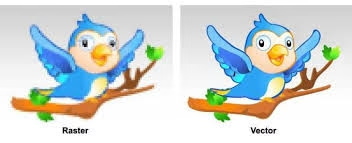
Vector conversion refers to transforming pixel-based images into vector graphics composed of lines and curves defined by mathematical paths. Unlike raster images that blur when enlarged, vector artwork maintains crisp edges and perfect proportions regardless of scale.
This process is ideal for logos, text-based artwork, and designs that must look sharp in every format — from small tags to large banners.
Difference Between Raster and Vector Graphics
Raster Graphics
Raster images (like JPG or PNG) use pixels to form an image. They work well for photos but lose sharpness when resized, leading to pixelation and blurred lines.
Vector Graphics
Vector graphics rely on paths rather than pixels. This allows them to scale infinitely without losing clarity. Converting artwork into this format ensures perfect shapes and clean edges suitable for any print project.
How Vector Files Improve Print Quality
When your artwork is in a clean vector format, printers can interpret each shape, line, and color accurately. This means smoother gradients, sharper details, and consistent color output. Vectorized designs ensure that every print — from brochures to billboards — looks flawless and true to the original concept.
Using vector files also reduces printing errors and saves time during production, improving efficiency and overall presentation quality.
Key Benefits of Using Vector Artwork
1. Sharp and Clear Output
Vector files produce high-definition results with crisp outlines and clean shapes. The precision ensures that even small text remains legible in print.
2. Infinite Scalability
Unlike raster graphics, vector artwork can be resized without losing quality. This makes it ideal for branding that must appear on various products and materials.
3. Consistent Color Reproduction
Vectors handle color control more accurately, ensuring brand colors remain consistent across different printers and materials.
4. Lightweight Files
Vector files are smaller and easier to handle, allowing faster printing and easier file sharing.
5. Easy to Edit and Reuse
Once created, vector artwork can be adjusted easily — colors, size, and shapes can be changed without affecting resolution. Expert services like Quality Digitizing ensure your files remain editable and perfectly structured for long-term use.
How Professionals Handle Vector Conversion
Professional designers don’t rely on automated tracing tools. Instead, they manually redraw artwork in vector form to ensure accurate shapes and smooth lines. This process results in files that are both scalable and visually balanced.
At Quality Digitizing, each file is crafted with precision and tested for print readiness, ensuring top-tier clarity and professional results every time.
Common Printing Applications for Vector Files
Vector artwork is essential across many printing industries, including:
- Corporate branding and logos
- Marketing materials such as flyers and brochures
- Screen printing on apparel and promotional products
- Signage and large-format prints
- Engraving, laser cutting, and embroidery
Each of these applications benefits from the smooth, consistent quality that only vector files can provide.
Tips for Maintaining Vector Quality
- Keep a master copy of your artwork in vector format (AI, EPS, or SVG).
- Use CMYK mode for print-ready projects.
- Avoid unnecessary raster effects like shadows or gradients that complicate printing.
- Regularly update your design tools for best compatibility.
- Work with professionals to ensure accurate conversion and color matching.
Conclusion
Vector conversion is the key to flawless print production. It guarantees sharp lines, clean details, and accurate colors on every surface. By switching to vector artwork, businesses can eliminate pixelation, improve consistency, and enhance overall brand presentation.
For top-quality vector file preparation and artwork conversion, trust Quality Digitizing — your partner for precision, reliability, and perfect print results.