Table of Contents
- Introduction
- Why Logos Become Blurry
- How Vector Conversion Fixes Blurry Logos
- Step-by-Step Process for Blurry Logo Fix
- Benefits of Converting Logos to Vector
- Best Tools for Vector Conversion
- Why Hire Professional Digitizing Experts
- Tips for Maintaining Logo Clarity
- Get Your Blurry Logo Fixed Today
- Conclusion
Introduction
Logos are the visual identity of any brand. When they appear blurry, pixelated, or stretched, it can harm your professional image. A blurry logo fix is essential for creating sharp, high-resolution designs that look clean across digital and print media. The most effective way to restore clarity is through vector conversion — a process that transforms raster images (like JPG or PNG) into scalable vector artwork.
Using vector formats ensures your logo remains crisp at any size, whether on a website, business card, or billboard. Professional services like Quality Digitizing specialize in accurate vector conversions, ensuring your artwork retains its original colors and proportions.
Why Logos Become Blurry
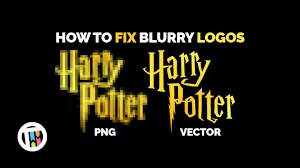
Blurry logos usually result from low-resolution raster images. Raster graphics are made of pixels, and when enlarged, these pixels stretch and distort, making the image appear fuzzy. Unlike vector graphics, they lack mathematical precision.
According to Wikipedia’s explanation of vector graphics, vectors use paths defined by mathematical formulas to maintain sharpness and scalability, regardless of size. That’s why converting your logo to vector format eliminates blurriness entirely.
Common Causes of Blurry Logos:
- Using small, low-quality images from web downloads
- Stretching or enlarging raster logos beyond their original size
- Saving files in compressed formats like JPG
- Improper export settings from design software
How Vector Conversion Fixes Blurry Logos
Vector conversion recreates your blurry logo into a scalable design file using anchor points, paths, and curves. This process removes pixelation completely, resulting in perfect clarity. Once converted, the logo can be resized infinitely without losing quality.
For instance, as explained in Adobe’s guide on vector vs. raster graphics, vectors are ideal for branding because they preserve detail, color accuracy, and consistency across materials.
Step-by-Step Process for Blurry Logo Fix
Fixing a blurry logo through vector conversion involves several detailed steps:
1. Analyze the Original File
The designer inspects the logo to identify issues such as pixelation, unclear text, or color distortion. The file format (JPG, PNG, BMP, etc.) determines the level of reconstruction required.
2. Trace the Design
Using vector software, the logo is redrawn manually. Each shape, curve, and letter is recreated using vector paths for accuracy. This ensures a clean and sharp outline.
3. Adjust Colors and Lines
Colors are matched to the brand’s official palette. Line thickness and spacing are fine-tuned to ensure perfect symmetry and balance.
4. Save in Vector Formats
Once completed, the logo is saved in vector formats such as AI, EPS, SVG, or PDF, ensuring it can be used for printing, embroidery, or web applications.
Benefits of Converting Logos to Vector
Vectorizing your blurry logo offers several major advantages for businesses and designers:
- Scalability: Resize without losing clarity.
- Print Ready: Ideal for large banners, embroidery, and merchandise.
- Editable: Easy to modify for new campaigns or formats.
- Professional Quality: Creates a clean, polished impression for your brand.
- Versatility: Use across digital, textile, and print platforms.
Best Tools for Vector Conversion
Professional designers rely on advanced vector conversion software to restore blurry logos effectively. The most widely used tools include:
- Adobe Illustrator
- CorelDRAW
- Inkscape (open-source alternative)
- Affinity Designer
While these tools can produce excellent results, they require design expertise. For consistent, accurate results, hiring experts like Quality Digitizing is the most reliable choice.
Why Hire Professional Digitizing Experts
DIY vector conversion might save time initially but often results in errors such as uneven edges or distorted text. Professional services, on the other hand, ensure pixel-perfect accuracy and machine-ready output for embroidery or printing.
By partnering with Quality Digitizing, you get a guaranteed blurry logo fix handled by experts who understand vector detailing, stitch patterns, and brand guidelines.
Tips for Maintaining Logo Clarity
After fixing your blurry logo, follow these tips to maintain its crisp quality:
- Always store your logo in vector format (AI, EPS, or SVG).
- Use high-resolution files for online uploads and printing.
- Avoid repeatedly converting between formats.
- Consult professional digitizers for complex artwork or embroidery needs.
Get Your Blurry Logo Fixed Today
Ready to transform your fuzzy, low-resolution logo into a sharp, professional design? Visit Quality Digitizing today to get expert blurry logo fix services. Their skilled team ensures perfect vector conversion for logos, artwork, and branding materials — all at affordable rates.
Conclusion
Fixing a blurry logo doesn’t have to be difficult. Through professional vector conversion, your brand’s image can regain its clarity, sharpness, and impact. Whether you’re printing apparel, banners, or marketing materials, a clean vector logo ensures a polished, professional result every time. Trust reliable experts like Quality Digitizing to bring your brand visuals back to life with precision and care.