Table of Contents
- Introduction
- Why Converting PSD Logos to Embroidery Matters
- Step-by-Step Process of PSD to Embroidery Conversion
- Benefits of Using Professional Digitizing Services
- Common Mistakes to Avoid
- Why Choose Quality Digitizing
- Conclusion
Introduction
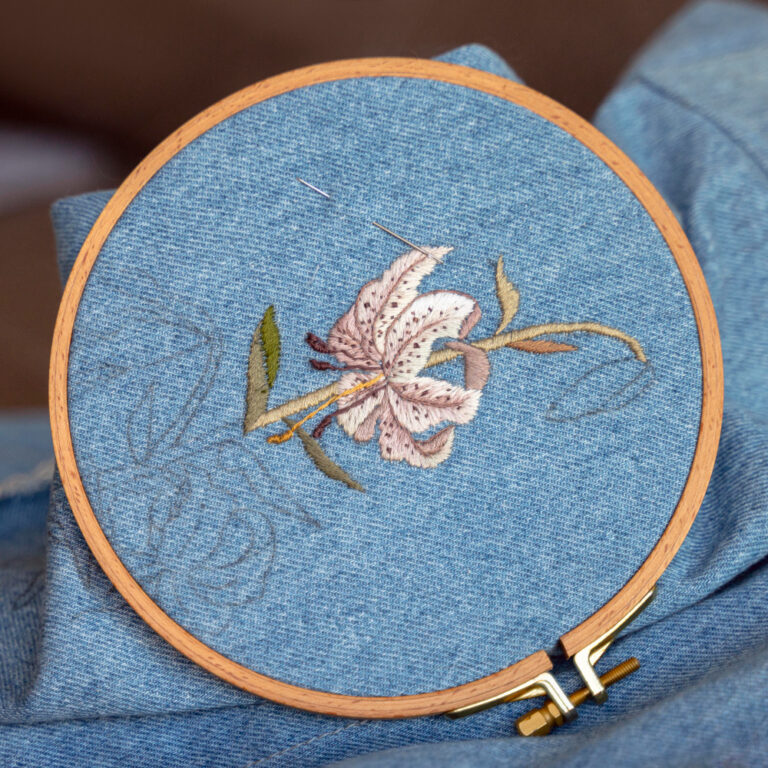
PSD to Embroidery conversion is an essential process for anyone wanting to transform a Photoshop design into a precise embroidery file that machines can read. If you’re working with brand logos, custom artwork, or promotional graphics, this conversion ensures your stitched results match your design vision. In this detailed guide, we’ll explore how to professionally convert PSD logos into machine-ready embroidery formats while maintaining clarity, color, and stitch quality.
Why Converting PSD Logos to Embroidery Matters
PSD files are layered image formats that allow designers to create complex and colorful graphics. However, embroidery machines can’t read these files directly. They require a special stitch-based format such as DST, PES, EXP, or JEF. Converting PSD to embroidery ensures your design becomes machine-readable and maintains quality during production.
Professional conversion gives you better stitch control, accurate thread colors, and a polished finish. Without it, designs can lose clarity or look distorted when embroidered on fabric. That’s why using a trusted service like Quality Digitizing is the best choice for accurate and high-quality results. You can visit QualityDigitizing.com to learn more about their professional embroidery digitizing and vector conversion services.
Step-by-Step Process of PSD to Embroidery Conversion
1. Preparing the PSD File
Start by cleaning and flattening your PSD file. Remove unnecessary layers, adjust image contrast, and simplify shapes. This makes it easier to trace outlines for embroidery. Learn more about working with PSD files on the official Adobe Photoshop Guide.
2. Converting Design to Vector Format
Vectorizing the PSD file allows clean scaling without pixel loss. Tools like Adobe Illustrator or CorelDRAW can help trace outlines and prepare your file for digitizing software.
3. Importing into Embroidery Software
Once vectorized, import your design into embroidery digitizing software such as Wilcom Embroidery Studio, Pulse, or Hatch. Here, every color, shape, and texture is translated into stitches. A skilled digitizer ensures proper stitch direction, density, and underlay for each section.
4. Testing and Refining the Stitch File
After converting your PSD logo into an embroidery file, testing is crucial. The design is stitched on sample fabric to check thread tension, density, and alignment. Any imperfections are corrected before final delivery. You can explore professional testing tips from Embroidery Library Tutorials.
Benefits of Using Professional Digitizing Services
Choosing a professional digitizing company brings numerous advantages. Here’s why businesses rely on experts for PSD to Embroidery conversion:
- Accuracy: Each stitch is mapped correctly for flawless results.
- Efficiency: Skilled digitizers deliver files that run smoothly on all machine types.
- Fabric Compatibility: The design is adjusted based on the fabric’s texture and stretch.
- Consistency: Professional files maintain the same quality across multiple runs.
When your design needs to represent your brand professionally, trusting experts like Quality Digitizing ensures you receive high-quality, production-ready files every time.
Common Mistakes to Avoid
Many beginners make errors during the PSD to Embroidery process that can affect the outcome. Here are a few to watch out for:
- Skipping the vector conversion step.
- Using too many thread colors.
- Ignoring stitch density adjustments.
- Not testing the final stitch file before production.
Fixing these mistakes early saves time, thread, and production costs.
Why Choose Quality Digitizing
Quality Digitizing specializes in converting complex artwork and PSD logos into accurate embroidery files. With years of experience, their team ensures designs look as good on fabric as they do on screen. From corporate branding to custom apparel, they provide exceptional results with quick turnaround times.
Their digitizing experts use top-tier software, ensuring every stitch aligns perfectly. Whether you need simple logo embroidery or intricate 3D puff designs, Quality Digitizing delivers precise, durable, and machine-optimized files for all embroidery machines.
Conclusion
Transforming PSD logos into embroidery format requires skill, precision, and the right tools. When done correctly, it ensures that every color, curve, and detail translates beautifully into stitches. By working with trusted professionals such as Quality Digitizing, you can achieve consistent, flawless results that elevate your brand identity and save time in production. Start your next PSD to Embroidery project with confidence and let your designs come to life in every stitch. For further learning, you can also explore CorelDRAW’s vector design tutorials.