Word File to Embroidery | Convert Word Logos into Embroidery Files Easily
Table of Contents
- Introduction
- What is Word File to Embroidery?
- How Does the Conversion Work?
- Why Converting Word Logos Matters
- Benefits of Professional Conversion
- Applications of Embroidered Logos
- Why Choose Quality Digitizing
- Learn More About Embroidery
- Get Started
- Conclusion
Introduction
Converting Word File to Embroidery is an essential process for anyone who has designed their logo or artwork in Microsoft Word and wants to use it for embroidery. While Word files are great for simple graphic layouts, they aren’t compatible with embroidery machines, which read only stitch data formats like DST, PES, or EXP.
This is where professional embroidery digitizing services such as Quality Digitizing come in. Their experts manually transform your Word designs into machine-readable embroidery files while maintaining every curve, font, and design element.
What is Word File to Embroidery?
The term Word File to Embroidery refers to the process of converting a DOC or DOCX file into a digital embroidery design. This design contains stitch commands that instruct embroidery machines where and how to place each thread.
Unlike an image file, Word documents require manual tracing and redrawing within digitizing software. This ensures precision and alignment with the original artwork. The output is a fully scalable embroidery design ready for production on uniforms, hats, or promotional apparel.
How Does the Conversion Work?
The Word File to Embroidery process includes several key steps that require both technical skill and artistic expertise:
Step 1: Extract the Design
The logo or artwork is first extracted from the Word file. Text, shapes, and symbols are isolated for digitization.
Step 2: Manual Digitizing
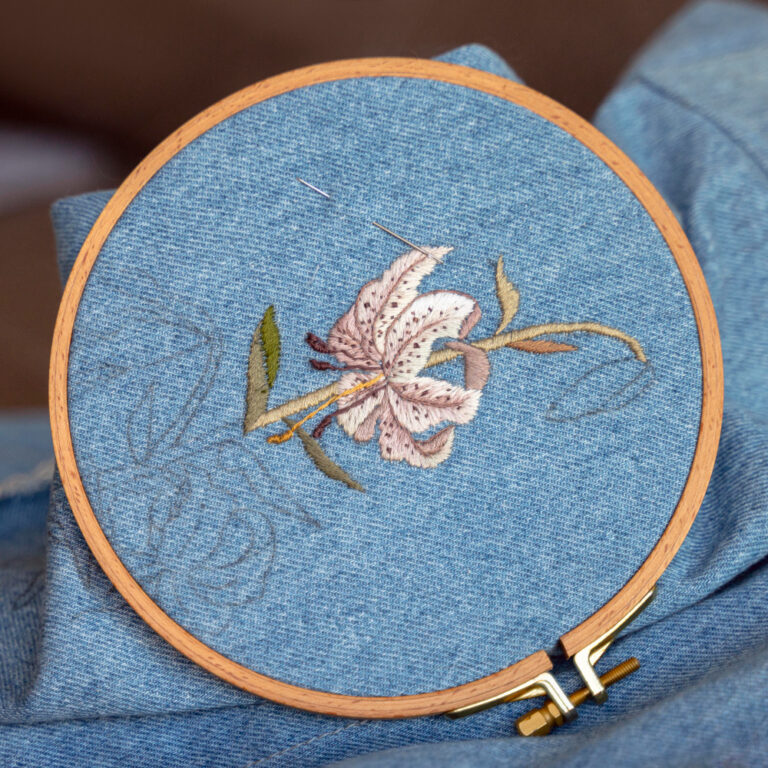
Professionals use digitizing software like Wilcom or Hatch to redraw the design and assign appropriate stitch types—satin, fill, or run stitches—for each area.
Step 3: Adjust Stitch Settings
The team adjusts stitch density, underlay, and color sequencing to ensure smooth sewing. Incorrect settings can lead to thread breaks or uneven finishes.
Step 4: Test and Deliver
Once the design is digitized, it’s tested on fabric samples before final delivery. You then receive a perfect, machine-ready embroidery file.
Why Converting Word Logos to Embroidery Is Important
Many businesses create their first logos in Word because it’s easy and accessible. However, embroidery machines can’t interpret Word’s graphic data. A Word File to Embroidery conversion is necessary to make that logo stitchable without losing quality.
The process ensures that your logo maintains brand consistency across all embroidered items—uniforms, merchandise, and promotional apparel—while also saving time and material during production.
Benefits of Professional Word File to Embroidery Conversion
- Accurate Stitching: Every curve and line is manually traced for precision.
- Machine Compatibility: Works with all major embroidery machines like Brother, Tajima, and Barudan.
- Editable Designs: You can change size, colors, or fabric type anytime.
- High Quality: Prevents thread breaks and uneven stitching.
- Brand Consistency: Keeps your logo professional and recognizable.
Applications of Digitized Word Logos
The applications of Word File to Embroidery conversions are limitless. Businesses and individuals can use their embroidered logos on:
- Company uniforms and workwear
- Hats, caps, and beanies
- T-shirts, jackets, and hoodies
- Promotional products and tote bags
- Sports team apparel and accessories
Embroidery adds texture, durability, and a premium look that printing simply can’t match.
Why Choose Quality Digitizing
Choosing Quality Digitizing ensures you get perfect results every time. Their skilled digitizers carefully handle each Word File to Embroidery project with attention to detail and fast turnaround.
The company’s experience covers corporate, sports, and fashion embroidery, making them a trusted partner for consistent and reliable results.
Learn More About Embroidery
To deepen your understanding of embroidery and digitizing, explore the comprehensive resource on Wikipedia’s embroidery page. It explains how modern digitizing bridges traditional stitching with digital technology.
Get Started with Word File to Embroidery Conversion
Ready to convert your Word File to Embroidery? Visit Quality Digitizing today to upload your file, receive a free quote, and get your design converted by experts. Fast, accurate, and affordable — it’s embroidery made easy!
Conclusion
Turning Word File Logos into Embroidery Files is a vital step for any business aiming for professional branding. Whether for corporate uniforms or promotional wear, Quality Digitizing ensures your artwork is perfectly crafted for embroidery machines.
Don’t settle for low-quality automated conversions. Choose precision, creativity, and experience — choose Quality Digitizing for all your Word File to Embroidery needs.