Table of Contents
Introduction
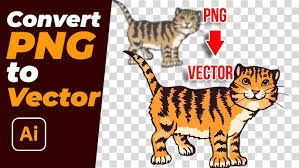
In modern design, clarity and scalability are essential. If you’ve ever tried to enlarge a PNG file, you’ve seen it become blurry or pixelated. That’s why many professionals now Convert PNG to Vector Art — a process that keeps artwork perfectly crisp at any size.
To learn more about how vector graphics work, visit
Wikipedia’s guide on vector graphics.
With expert help from Quality Digitizing, your PNG files are transformed into clean, precise vector artwork ready for any printing, embroidery, or digital project.
What Does It Mean to Convert PNG to Vector Art?
To Convert PNG to Vector Art means converting a pixel-based image into one built from mathematical paths and curves. These paths define shapes that can be scaled infinitely without quality loss.
Vector formats like AI, SVG, and EPS are the global standard for professional printing and design. Learn more about vector formats directly from
Adobe’s vector file overview.
Converting your PNG image ensures smooth lines, accurate color reproduction, and the flexibility to edit and resize without distortion.
Why Converting PNG to Vector Art Is Essential
Raster images like PNG files look great online but don’t perform well when scaled for large-format printing. Vectors solve that problem by offering infinite scalability. Here’s why this process matters:
- Scalability: Vector graphics never lose sharpness or clarity.
- Professional Printing: Vectors are mandatory for embroidery, screen printing, and signage.
- Editable Artwork: Modify or recolor easily without starting over.
- Consistent Branding: Keep your logo and graphics uniform across all media.
With Quality Digitizing, every conversion is done manually for top-quality results that automated tools simply can’t match.
Step-by-Step Vector Conversion Process
The process to Convert PNG to Vector Art is simple but requires expert handling to ensure the best outcome.
Step 1: Submit Your PNG Image
Upload your PNG to Quality Digitizing. High-resolution files ensure smoother, more accurate results.
Step 2: Manual Tracing
Our skilled designers manually trace your artwork for clean, sharp edges and color accuracy.
Step 3: Color Refinement
We match exact color tones and gradients to retain your brand’s look.
Step 4: Review & Delivery
After final review, your file is delivered in multiple vector formats (AI, SVG, EPS, PDF) ready for print or digital use.
Benefits of Professional Vector Conversion
- Infinite scalability without quality loss
- Print and embroidery ready artwork
- Editable design elements and colors
- Quick turnaround times
- Professional, consistent results
Where Vector Files Are Used
After you Convert PNG to Vector Art, your design can be used across multiple industries:
- Business logos and branding
- Clothing and embroidery
- Marketing materials and signage
- Website graphics and social media
- Product labels and packaging
Why Choose Quality Digitizing
Quality Digitizing offers precise, affordable, and fast vector conversions handled by expert designers. Each file is manually created for accuracy and smoothness, ensuring perfect results for printing, cutting, and embroidery.
Tips for Perfect PNG to Vector Conversion
- Use a clear, high-resolution PNG file.
- Keep your artwork simple for cleaner lines.
- Provide brand color codes if applicable.
- Specify output formats (AI, SVG, EPS, PDF).
Get Started Today
Ready to Convert PNG to Vector Art with unmatched accuracy? Visit
Quality Digitizing to upload your file, get a free quote, and receive top-quality vector artwork in as little as 24 hours.
Conclusion
Converting your PNG into vector format ensures perfect, professional-quality graphics for every project. For flawless, scalable artwork, trust
Quality Digitizing — your reliable partner in vector and embroidery digitizing.